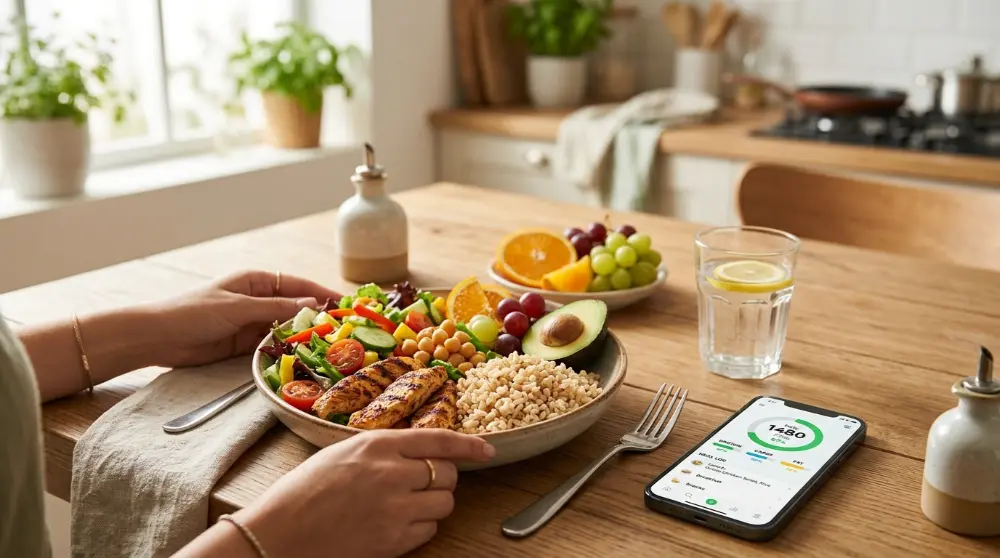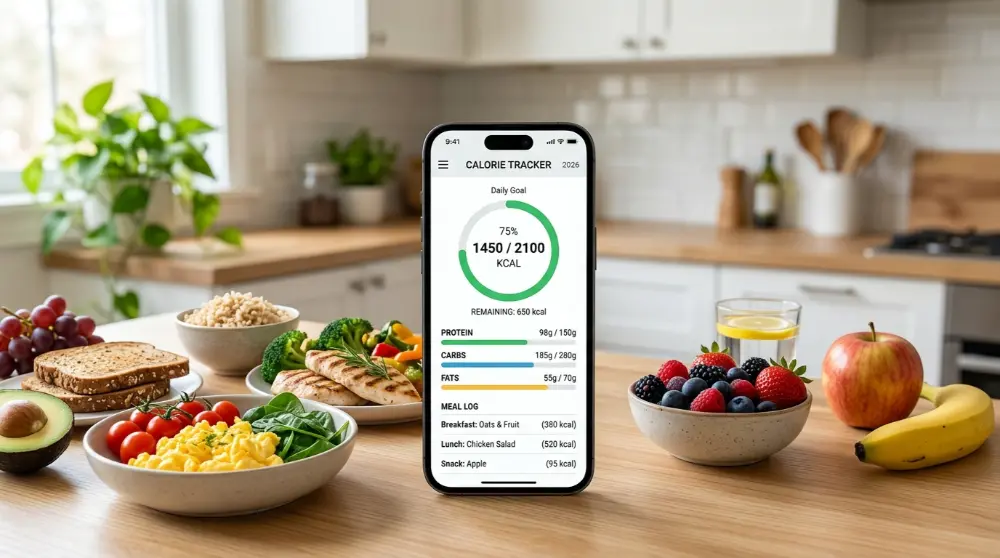
Have you ever wondered how many calories you eat in a day? Maybe you’re trying to lose weight, build muscle, or simply make better food choices. Whatever your goal, keeping track of your daily food intake can help you understand your eating habits.
The good news is that you don’t need a notebook or a calculator to do it. A best calorie counter app can help you record your meals, check calories, track protein and other nutrients, and see your daily progress right from your phone.
But here’s the thing: not every calorie tracking app works the same way. Some have huge food databases, while others focus on vitamins, minerals, weight loss, or simple food logging. Some even use AI to estimate calories from food pictures.
So, which one should you choose?
We’ve looked at some popular calorie tracking apps to help you find the right option. Whether you want a free calorie counter app, an easy food tracker, or a tool for tracking macros, there’s something on this list for you.
Let’s take a closer look.
8 Best Calorie Counter Apps in 2026
Here are our top picks based on their main features, food tracking tools, free options, and the type of user they may suit.
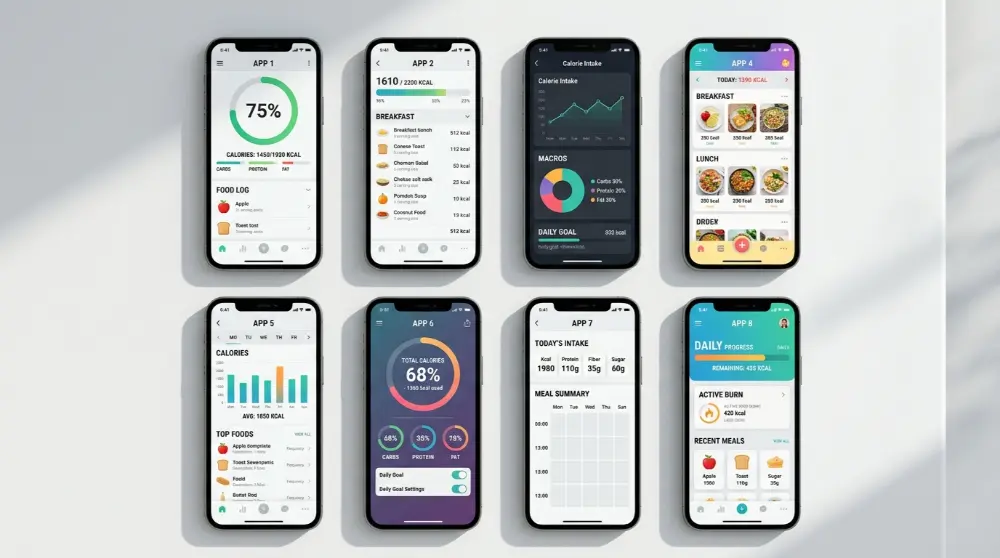
- Cronometer: Best overall for detailed nutrition tracking.
- MyFitnessPal: Best for a large food database.
- Lose It!: Best for simple calorie tracking and weight management.
- FatSecret: Best for free calorie tracking features.
- MyNetDiary: Best for food quality and nutrition insights.
- Lifesum: Best for healthy eating habits.
- Noom: Best for guided weight management.
- Calory: Best for basic calorie tracking.
Each app has its own strengths. For example, Cronometer lets you track up to 95 nutrients and compounds, while MyFitnessPal offers a large food database and several ways to record meals. Cronometer Basic Account+2
Quick Comparison of the Best Calorie Tracking Apps
Not sure which app to try first? This table gives you a quick look at what each one offers.
| App | Best For | Free Version |
|---|---|---|
| Cronometer | Calories, vitamins, and minerals | Yes |
| MyFitnessPal | Large food database | Yes |
| Lose It! | Weight loss tracking | Yes |
| FatSecret | Free food tracking | Yes |
| MyNetDiary | Nutrition insights | Yes |
| Lifesum | Healthy eating habits | Yes |
| Noom | Guided weight management | No permanent free plan |
| Calory | Simple calorie counting | Yes |
Note: Features and subscription prices can change. Some tools may also have different limits depending on your country and phone.
1. Cronometer – Best Overall Calorie Counter App for Nutrition Tracking
If you want to know more than just how many calories you eat, Cronometer is worth trying. It helps you track your daily calories, protein, carbohydrates, fats, vitamins, and minerals in one place.
Unlike basic calorie trackers, Cronometer focuses on detailed nutrition information. This makes it a useful choice for people who want to understand what they’re eating and whether their meals provide enough nutrients.
Key Features of Cronometer
Here are some features that make Cronometer stand out:
- Detailed nutrient tracking: Track calories, protein, carbs, fats, vitamins, and minerals.
- Verified food information: Its food database includes information from trusted sources, including the USDA.
- Food diary: Record breakfast, lunch, dinner, and snacks.
- Custom goals: Set nutrition targets based on your needs.
- Exercise tracking: Record physical activity alongside your food intake.
- Health reports: Review your daily nutrition and identify nutrients you may be missing.
Is Cronometer Free?
Yes! Cronometer offers a free version that includes many useful food and nutrition tracking features.
There’s also a paid Gold membership. It unlocks extra tools, such as advanced reports, more detailed analysis, and an ad-free experience.
Pros and Cons
Pros:
- Detailed vitamin and mineral tracking.
- Useful free version.
- Food data from trusted sources.
- Supports different eating styles.
- Easy-to-understand nutrition reports.
Cons:
- Some advanced features require payment.
- The detailed information may feel confusing to beginners.
- Some foods may need to be entered manually.
Our Verdict: Cronometer is a great choice if you care about overall nutrition, not just calories. It’s especially useful for people who want to monitor their protein, vitamins, minerals, and other nutrients.
Best for: People who want detailed calorie and nutrient tracking.
2. MyFitnessPal – Best Calorie Counter App With a Large Food Database
Finding the right food entry can sometimes be a headache when tracking calories. You might eat a packaged snack, visit a restaurant, or prepare a meal at home. MyFitnessPal makes this process easier with its large food database.
It’s one of the most recognized calorie tracking apps. You can use it to record meals, check your daily calorie intake, monitor macros, and follow your progress.
The app also works with various fitness devices and health apps, helping you keep your food and activity information together.
Key Features of MyFitnessPal
- Large food database: Search for millions of food items, including restaurant meals and branded products.
- Food diary: Record your meals and snacks throughout the day.
- Macro tracking: Monitor protein, carbohydrates, and fats.
- Barcode scanning: Scan supported packaged foods to find their nutrition information. Availability may depend on your subscription.
- Exercise logging: Record workouts and physical activities.
- Progress tracking: Follow changes in your weight and daily food intake.
- Device connections: Connect supported fitness devices and health apps.
Is MyFitnessPal Free?
MyFitnessPal offers a free version with basic calorie and food tracking.
However, some features are available only with a Premium subscription. These may include advanced macro tracking, barcode scanning, and additional food analysis tools.
Check the app’s current pricing page before subscribing, as prices and feature access can change.
Pros and Cons
Pros:
- Large food database.
- Easy meal logging.
- Tracks calories and macros.
- Supports fitness app connections.
- Available for Android and iOS.
Cons:
- Some useful tools require Premium.
- Food database entries can vary in accuracy.
- Ads may appear in the free version.
- Some users may find the extra features overwhelming.
Our Verdict: MyFitnessPal is a strong option if you eat different foods and want a large database to make meal logging easier. It’s also useful if you want to track your exercise and food intake in one app.
Best for: People who want a large food database and flexible calorie tracking.
3. Lose It! – Best Calorie Counter App for Weight Loss
If your main goal is to lose weight and build better eating habits, Lose It! is another app worth checking out.
It has a clean design that makes calorie tracking simple, even if you’ve never used a food diary before. You can enter your personal details, choose your weight goal, and get a suggested daily calorie budget.
The app then helps you record meals and see how much of your daily calorie target you’ve used.
You don’t have to guess whether you’re staying on track. Your food diary and progress charts give you a clearer picture of your daily habits.
Key Features of Lose It!
- Personalized calorie goals: Get a suggested daily calorie target based on your details and goals.
- Large food database: Search for millions of food items, including restaurant and packaged foods.
- Meal tracking: Record breakfast, lunch, dinner, and snacks.
- Weight progress charts: Follow changes in your weight over time.
- Food barcode scanning: Find packaged food information using the scanner, where available.
- Challenges: Join activities that can help you stay motivated.
- Health app connections: Sync supported health and fitness apps.
Is Lose It! Free?
Lose It! offers a free version with basic calorie counting and food logging.
However, its Premium plan unlocks extra tools, such as more detailed nutrition tracking, custom goals, and additional health insights.
The available features and subscription prices may vary by platform and region.
Pros and Cons
Pros:
- Simple and beginner-friendly design.
- Useful for tracking daily calories.
- Personalized calorie recommendations.
- Weight progress charts.
- Large food database.
Cons:
- Some features require Premium.
- Certain tracking tools may not be available in the free version.
- Food entries should be checked for accuracy.
Our Verdict: Lose It! is a good choice if you want a simple way to track your meals and work toward a weight goal. Its clean design and progress charts make it easier to understand your eating habits.
Best for: Beginners and people who want to manage their weight.
4. FatSecret – Best Free Calorie Counter App
Looking for a calorie counter app that doesn’t force you to pay for every useful feature? FatSecret is worth a look.
It offers several free tools to help you track your meals, monitor calories, and understand your daily food intake. You can also record exercise, check your weight progress, and explore healthy recipes.
One thing that makes FatSecret interesting is its community feature. You can connect with other users, share ideas, and take part in food and fitness challenges.
This can be helpful when you want a little extra motivation to stay consistent.
Key Features of FatSecret
- Food diary: Record everything you eat throughout the day.
- Calorie tracking: Check your daily calorie intake.
- Macro tracking: See your protein, carbohydrate, and fat intake.
- Barcode scanner: Find nutrition details for supported packaged foods.
- Weight tracker: Record your weight and follow your progress.
- Healthy recipes: Explore meal ideas for different food preferences.
- Community support: Connect with other users and join challenges.
- Exercise diary: Record your physical activities.
Is FatSecret Free?
Yes! FatSecret offers a free version with several useful calorie and food tracking tools.
It also has a Premium subscription that unlocks additional features, including more detailed reports, meal planning tools, and other nutrition insights.
You can start with the free version and decide later whether the paid features are worth it.
Pros and Cons
Pros:
- Many useful free features.
- Simple food diary.
- Tracks calories and macros.
- Includes recipes and exercise logging.
- Offers community challenges.
Cons:
- Some advanced tools require Premium.
- The interface may feel less modern than some competitors.
- Food information can vary between entries.
Our Verdict: FatSecret is a good option if you want to track your food without spending money right away. Its free tools make it useful for beginners who want to understand their daily eating habits.
Best for: People looking for a free calorie counter app with useful extra features.
5. MyNetDiary – Best Calorie Counter App for Better Food Choices
Counting calories is helpful, but knowing what you’re eating is just as important. MyNetDiary helps you look beyond daily calorie totals and understand the nutrition in your meals.
The app gives you tools to track calories, protein, carbohydrates, fats, and other nutrients. It also has a food grading system that helps you compare different foods based on their nutrition information.
For example, if you’re choosing between two breakfast cereals, you can use the available nutrition details to see which one better fits your eating goals.
Another useful feature is its food logging system. You can add meals manually, scan supported barcodes, or use voice logging where available.
Key Features of MyNetDiary
- Calorie tracking: Record meals and monitor your daily calorie intake.
- Food grading: Compare foods using nutrition information.
- Macro tracking: Follow your protein, carbohydrate, and fat intake.
- Barcode scanning: Find information about packaged foods.
- Voice logging: Record meals using voice input.
- Meal analysis: Review the nutrition details of your meals.
- Recipe tracking: Add recipes and calculate their nutrition information.
- Weight tracking: Record your weight and monitor changes.
Is MyNetDiary Free?
Yes! MyNetDiary offers a free version with several calorie and food tracking features.
Its Premium plan provides additional tools, such as more detailed nutrient tracking, meal planning, and advanced nutrition reports.
Some health-related tracking tools may also be available depending on your plan.
Pros and Cons
Pros:
- Easy food logging.
- Helpful nutrition information.
- Food grading system.
- Supports barcode and voice logging.
- Useful free features.
Cons:
- Some advanced features require payment.
- The number of features may feel confusing at first.
- Food grades shouldn’t replace personal nutrition advice.
Our Verdict: MyNetDiary is worth considering if you want to improve your food choices instead of focusing only on calories. Its nutrition reports and food grading tools can help you make more informed decisions.
Best for: People who want to understand food quality and improve their eating habits.
6. Lifesum – Best Calorie Counter App for Healthy Eating Habits
Sometimes, counting calories isn’t enough. You may also want to drink more water, eat balanced meals, and make healthier food choices.
That’s where Lifesum comes in.
Lifesum is a food and nutrition tracking app that focuses on building better eating habits. Along with calorie tracking, it offers meal ratings, nutrition information, recipes, and different eating plans.
Its simple design makes it easier to record meals and see your daily progress.
One interesting feature is its food rating system. It helps you understand the nutrition value of different meals without making you feel that certain foods are completely off-limits.
Key Features of Lifesum
- Calorie counter: Record your daily food intake.
- Macro tracking: Monitor protein, carbohydrates, and fats.
- Meal ratings: Get information about the nutrition quality of your meals.
- Water tracking: Keep an eye on your daily water intake.
- Meal plans: Explore plans for different eating styles.
- Healthy recipes: Find ideas for balanced meals.
- Food diary: Save and review your daily meals.
- Progress tracking: Follow your nutrition and fitness goals.
Is Lifesum Free?
Lifesum offers a free version with basic food and calorie tracking.
However, you’ll need a Premium subscription to access some additional features, including detailed nutrition insights, meal plans, and more recipes.
The subscription options and prices can vary depending on your location and platform.
Pros and Cons
Pros:
- Clean and attractive design.
- Helpful food ratings.
- Tracks water and calories.
- Offers different meal plans.
- Good for building healthy eating habits.
Cons:
- Many useful features require Premium.
- Some meal plans may not suit everyone’s needs.
- Advanced nutrition insights aren’t all available for free.
Our Verdict: Lifesum is a useful option if you want more than a basic calorie counter. It combines food tracking with tools that encourage better everyday eating habits.
Best for: People who want to develop healthier eating habits and explore meal plans.
7. Noom – Best Calorie Counter App for Guided Weight Management
If you want help building better eating habits rather than simply counting calories, Noom may be a good option.
Noom takes a different approach to weight management. It combines food tracking with educational lessons and behavior-based tools. The idea is to help you understand your eating habits and make changes that you can maintain over time.
When you start using the app, you’ll answer questions about your lifestyle, personal goals, and eating habits. Noom uses this information to create a suggested plan.
You can then record your meals, check your food choices, and follow lessons designed to help you understand why you eat the way you do.
Key Features of Noom
- Food tracking: Record meals and monitor your daily calorie intake.
- Personalized plans: Get recommendations based on your goals and lifestyle.
- Educational lessons: Learn about food choices and eating habits.
- Progress tracking: Monitor your weight and other progress details.
- Behavior-based guidance: Understand habits that may affect your eating decisions.
- Daily activities: Follow lessons and tasks to stay engaged.
- Meal planning: Get guidance to support your weight management goals.
Is Noom Free?
Noom doesn’t offer a permanent free plan like some other calorie counter apps.
However, it may offer trial periods or promotional subscription options depending on your location and current offers.
Its paid plans can be more expensive than basic food tracking apps. So, check the latest subscription details before signing up.
Pros and Cons
Pros:
- Offers guided weight management.
- Includes educational lessons.
- Helps users understand eating habits.
- Combines food tracking with behavior-based tools.
- Provides personalized recommendations.
Cons:
- No permanent free version.
- Subscription costs can be high.
- Some users may prefer a simpler calorie tracker.
- Requires regular time and effort.
Our Verdict: Noom is worth considering if you want structured guidance and educational support while working on your eating habits. However, if you only need a simple calorie counter, a free app like FatSecret or Cronometer may be a better starting point.
Best for: People who want guided weight management and help building long-term habits.
8. Calory – Best Calorie Counter App for Simplicity
Not everyone needs a complicated nutrition app. Sometimes, you just want to enter your meals and see how many calories you’ve eaten.
Calory is designed for people who prefer a simple approach.
The app focuses mainly on calorie tracking. You can set a daily calorie goal, record your food intake, and check how many calories you have left for the day.
Its straightforward design makes it easier to use without spending too much time exploring different menus.
Key Features of Calory
- Daily calorie tracking: Record the calories you eat throughout the day.
- Custom calorie goals: Set a daily target based on your needs.
- Food logging: Add foods and their calorie information.
- Progress charts: Review your calorie intake over time.
- Food history: Check previous meals and saved food entries.
- Reminders: Get reminders to keep your food diary updated.
- Nutrition tools: Access additional tracking options with the paid version.
Is Calory Free?
Calory offers a free basic version for calorie tracking.
There’s also a paid version that unlocks additional features, such as macro tracking, water tracking, barcode scanning, and more detailed food information.
Keep in mind that its main focus is calorie tracking, so it may not be the best choice if you need detailed nutrition reports.
Pros and Cons
Pros:
- Simple and easy-to-use design.
- Focuses on daily calorie intake.
- Allows custom calorie goals.
- Provides progress charts.
- Offers a free basic version.
Cons:
- Limited nutrition tracking in the basic version.
- Some useful tools require payment.
- Food database features may be less extensive than larger competitors.
- More suitable for basic tracking than detailed nutrition analysis.
Our Verdict: Calory is a good option if you don’t want too many features getting in your way. It keeps things simple and helps you understand your daily calorie intake.
Best for: People who want a simple calorie counter without complicated nutrition tools.
How to Choose the Best Calorie Counter App
With so many calorie tracking apps available, choosing one can feel confusing. Each app offers different tools, and not every feature will be useful for your needs.
The best approach is to think about what you want to achieve. Do you want to lose weight, build muscle, eat healthier, or simply understand your daily food intake?
Here are some important things to consider before choosing an app.
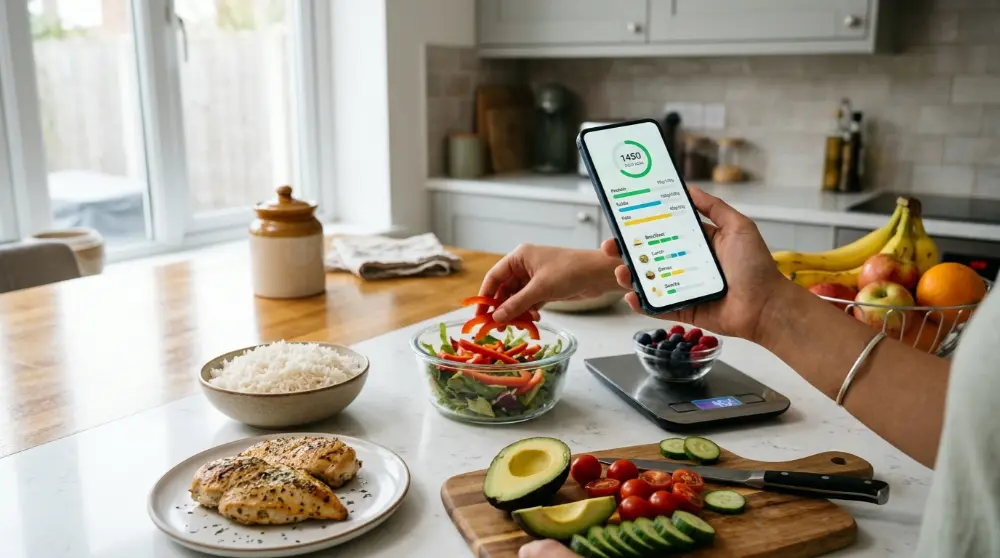
1. Look for an Easy-to-Use Interface
A calorie counter should make food tracking easier, not harder.
Choose an app with a clean design and simple food logging. You should be able to add meals, check calories, and review your daily progress without spending too much time.
For beginners, apps like Lose It! and Calory are worth exploring because they focus on straightforward tracking.
2. Check the Food Database
A good food database can save you a lot of time.
Imagine eating an apple, a bowl of rice, or a chicken sandwich. You should be able to search for these foods and find suitable entries quickly.
Before choosing an app, check whether its database includes:
- Common everyday foods.
- Packaged and branded products.
- Restaurant meals.
- Different serving sizes.
- Foods from your country.
This last point is especially important if you eat local meals.
For example, if you live in Pakistan, you may want to track foods like biryani, chapati, daal, chicken karahi, and paratha. Check whether the app has suitable entries for these meals.
3. Check Whether It Tracks Macros
Calories tell you how much energy food provides, but they don’t tell you everything about its nutrition.
Macronutrients, also called macros, include:
- Protein: Helps build and repair body tissues.
- Carbohydrates: Provide energy for your body.
- Fat: Supports important body functions and helps absorb certain vitamins.
If you exercise regularly or want to build muscle, choosing an app with macro tracking can be helpful.
Cronometer and MyFitnessPal are two options worth considering.
4. Compare Free and Paid Features
You don’t always need a paid subscription to track your calories.
Many apps offer free versions with basic food logging and calorie tracking. However, features like advanced reports, meal plans, and detailed nutrition analysis may require payment.
Before subscribing, check:
- What features are included for free?
- Does barcode scanning require payment?
- Are detailed nutrition reports available?
- Is there a monthly or yearly subscription?
- Can you cancel your subscription easily?
Try the free version first. If it meets your needs, there’s no reason to spend extra money.
5. Check Device Compatibility
Make sure the app works with your smartphone.
Most popular calorie tracking apps support Android and iOS, but some features may differ between platforms.
Also, check whether the app can connect with your smartwatch, fitness tracker, or health app if you want to combine your food and activity records.
6. Consider Privacy and Data Safety
Your food diary may contain personal information about your eating habits, weight, and health goals.
Before creating an account, review the app’s privacy policy and check:
- What personal information does it collect?
- Does it share data with third parties?
- Can you delete your account and information?
- Does it offer clear privacy settings?
A useful app should also give you control over your personal information.
Best Calorie Counter App for Different Goals
Not sure which app matches your needs? Here’s a quick guide.
| Your Goal | Recommended App |
|---|---|
| Detailed nutrient tracking | Cronometer |
| Large food database | MyFitnessPal |
| Weight loss tracking | Lose It! |
| Free calorie tracking | FatSecret |
| Better food choices | MyNetDiary |
| Healthy eating habits | Lifesum |
| Guided weight management | Noom |
| Simple calorie counting | Calory |
Remember, these are starting points rather than strict rules. You can try more than one app before deciding which feels right.
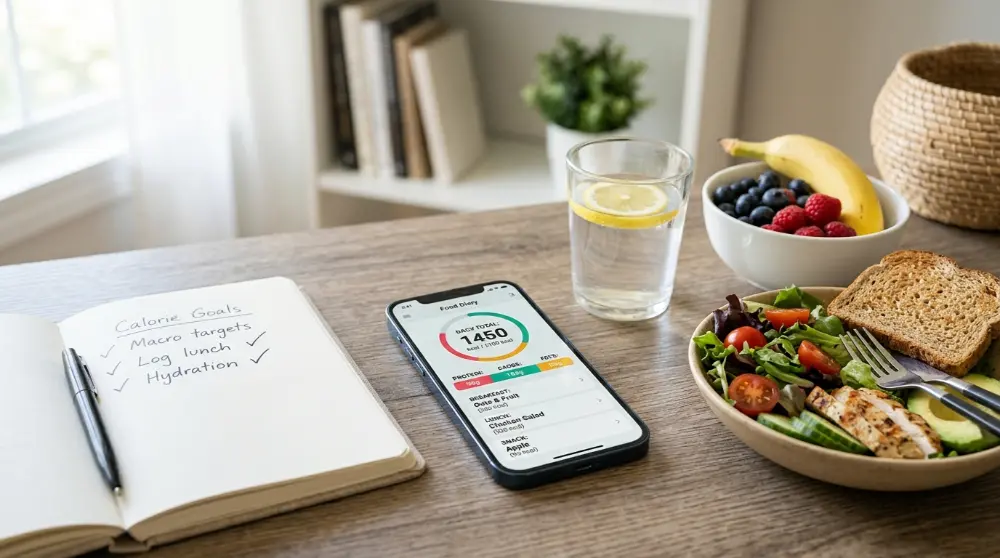
Best Free Calorie Counter App: Which One Should You Try?
If you don’t want to pay for a subscription, don’t worry. Several calorie tracking apps offer useful free features.
You can record meals, check your daily calorie intake, and monitor your progress without spending money.
Here are some options worth trying.
1. FatSecret – Best for Free Food Tracking
FatSecret is a good starting point if you want a free food diary with calorie and macro tracking.
You can record meals, check your daily intake, and follow your weight progress. It also offers recipes and community features.
2. Cronometer – Best for Free Nutrition Tracking
Cronometer is worth trying if you want to understand more about your food.
Its free version provides calorie tracking and detailed nutrient information, including protein, vitamins, and minerals.
3. MyFitnessPal – Best for Food Variety
MyFitnessPal is useful if you eat different types of foods and want access to a large food database.
Its free version supports basic food logging and calorie tracking, although some advanced features require Premium.
4. Lose It! – Best for Simple Weight Tracking
Lose It! offers a beginner-friendly way to record meals and monitor your calorie budget.
Its free version provides basic tracking tools, while Premium adds more features.
5. MyNetDiary – Best for Nutrition Insights
MyNetDiary is another option with useful free food tracking and nutrition analysis features.
It can help you understand your food choices and monitor your daily eating habits.
Our recommendation: Start with FatSecret or Cronometer if free features are your main concern. Both offer useful tools without requiring you to purchase a subscription immediately.
Best Calorie Counter App for Android and iPhone
Before downloading an app, make sure it’s available for your smartphone.
Most popular calorie tracking apps support both Android and iPhone. However, their features, subscription options, and user experience may differ.

Best Calorie Counter Apps for Android
If you use an Android phone, consider these apps:
- MyFitnessPal: Useful for searching foods and tracking daily calories.
- Cronometer: Great for checking calories, vitamins, and minerals.
- FatSecret: Offers free food logging and calorie tracking tools.
- Lose It!: Provides simple meal tracking and weight progress charts.
- MyNetDiary: Helps you review food quality and nutrition information.
You can find these apps through the Google Play Store. Check the latest ratings, reviews, and available features before downloading.
Best Calorie Counter Apps for iPhone
iPhone users also have several good options.
Here are some apps to consider:
- Cronometer: Useful for detailed nutrition tracking.
- MyFitnessPal: A popular choice for calorie and macro tracking.
- Lose It!: Offers food logging and weight management tools.
- Lifesum: Focuses on healthy eating and meal planning.
- Calory: A simple option for tracking daily calories.
You can download these apps through the Apple App Store.
Do Android and iPhone Apps Have the Same Features?
Not always.
Some apps offer different tools depending on your device, country, or subscription plan.
For example, barcode scanning, health app connections, and certain premium features may not work the same way on every platform.
Before choosing an app, check its official website or app store listing to confirm which features are available on your device.
How Accurate Are Calorie Counter Apps?
Calorie counter apps make food tracking easier, but their results aren’t always perfect. They estimate calories based on the food and serving size you enter. If the information is wrong, your daily calorie total may also be wrong.

Still, these apps can help you understand your eating habits and make better food choices.
1. Food Database Errors
Most calorie counter apps use large food databases. Some entries come from official nutrition sources, while others may be added by users.
This can create problems. For example, you might find several entries for the same food with different calorie amounts.
Before choosing an entry, check its serving size and nutrition details. When possible, use verified food entries or information from the product label.
2. Incorrect Portion Sizes
Portion size is one of the biggest reasons calorie estimates can be inaccurate.
For example, one serving of rice may contain fewer calories than a large bowl. If you enter one cup but eat two cups, your app will show less food than you actually consumed.
A kitchen scale can help you measure food more accurately. You don’t need to weigh every meal forever, but it can be useful while learning normal portion sizes.
3. Cooking Oils and Sauces
It’s easy to forget small ingredients when tracking food.
Cooking oil, butter, mayonnaise, salad dressing, and sauces can add calories to a meal. If you don’t include them, your daily total may be lower than the actual amount.
Try to record the main ingredients, including oils and toppings.
4. Restaurant Food Estimates
Restaurant meals can be harder to track because you may not know the exact ingredients or portion sizes.
A calorie counter app might have an entry for a similar dish, but the actual meal could contain more oil, sauce, or cheese.
Use the closest available entry and treat the result as an estimate rather than an exact number.
5. AI Food Photo Tracking
Some nutrition apps offer photo-based food logging. You take a picture of your meal, and the app tries to identify the food and estimate its calories.
This feature can save time, but it has limits. A photo may not show the amount of oil, hidden ingredients, or the full portion size. Two meals that look similar can also have very different calorie counts.
AI photo tracking is best used as a quick starting point. Review the suggested food and serving size before saving it.
Can You Count Calories Without an App?
Yes! A calorie counter app isn’t the only way to track what you eat.
You can use a notebook, food labels, a kitchen scale, or a spreadsheet. Write down your meals, estimate serving sizes, and check the nutrition information when available.
However, an app can make the process faster. It can save common meals, calculate daily totals, and show your calorie and macro intake in one place.
Choose the method that feels easy enough to follow regularly. Consistency matters more than using a complicated tracking system.
Is Calorie Counting Safe for Everyone?
Calorie tracking can help some people understand their food habits, but it isn’t right for everyone.
If tracking makes you anxious, causes guilt around eating, or leads to unhealthy food restrictions, take a break. Speak with a qualified healthcare professional or registered dietitian if you need help with your eating habits.
People with medical conditions, a history of disordered eating, or specific nutrition needs should seek professional advice before starting a calorie-tracking plan.
Tips for Getting Better Results from a Calorie Counter App
Choosing the best calorie counter app is only the first step. You also need to use it in a simple and consistent way. Here are some practical tips to help you track your food more easily.

1. Record Your Meals Every Day
Try to log your meals throughout the day instead of waiting until bedtime. This makes it easier to remember what you ate and how much you consumed.
Record breakfast, lunch, dinner, and snacks. If you drink juice, coffee with milk, or other calorie-containing drinks, include those too.
You don’t have to be perfect. Just build a routine that you can follow.
2. Check Serving Sizes Carefully
Don’t select a food entry without checking its serving size.
For example, an app may show calories for 100 grams of chicken, while another entry may show calories for one cooked chicken breast. These are different measurements.
Choose the entry that best matches your meal. If you’re unsure about portion sizes, use a kitchen scale to improve your estimates.
3. Save Your Favorite Meals
Many calorie tracking apps let you save meals or create recipes.
This feature is useful if you often eat the same breakfast or prepare similar meals during the week.
For example, you can save:
- Eggs with whole-wheat toast
- Chicken with rice
- Oatmeal with milk
- A homemade sandwich
- A fruit and yogurt snack
Next time, you can add the saved meal instead of entering every ingredient again.
4. Track More Than Calories
Calories are important, but they don’t tell the whole story.
Pay attention to other nutrients when your app supports them. These may include:
- Protein: Helps build and maintain muscles.
- Carbohydrates: Provide energy for your body.
- Fat: Supports normal body functions.
- Fiber: Supports healthy digestion.
- Vitamins and minerals: Help your body work properly.
You don’t need to track every nutrient from day one. Start with the information that matches your goals.
5. Review Your Weekly Progress
Checking your food diary every day can help, but weekly reviews can show bigger patterns.
Look at your meal choices, eating routine, and nutrient intake. Notice whether you regularly miss meals or forget to record snacks.
Use this information to improve your habits rather than judging yourself over one day.
6. Don’t Depend on Every Number
Remember that calorie counter apps provide estimates. Food entries, portion sizes, and restaurant meals may not be completely accurate.
Avoid worrying about small differences between meals. Focus on useful patterns and a balanced eating routine.
Common Calorie Tracking Mistakes to Avoid
Even a good calorie counter app won’t help much if you use it incorrectly. Watch out for these common mistakes.
| Common mistake | How to avoid it |
|---|---|
| Forgetting snacks | Record snacks when you eat them. |
| Ignoring cooking oil | Include oil, butter, and sauces. |
| Choosing the wrong food entry | Check ingredients and serving sizes. |
| Guessing every portion | Measure food when needed. |
| Tracking only calories | Review other nutrients too. |
| Expecting perfect accuracy | Treat app results as estimates. |
| Giving up after one missed day | Simply start tracking again. |
The goal isn’t to create a perfect food diary. It’s to understand your eating habits and make steady improvements.
Frequently Asked Questions About Calorie Counter Apps
Here are answers to some common questions people ask before choosing a calorie tracking app.
What Is the Best Calorie Counter App in 2026?
Cronometer is a strong choice for detailed calorie and nutrient tracking. MyFitnessPal is useful if you want a large food database, while Lose It! offers a simple way to track calories and manage your food habits.
The best option depends on your needs, budget, and preferred features.
What Is the Best Free Calorie Counter App?
FatSecret and Cronometer are good options to consider if you want useful free tracking features.
FatSecret offers food logging and basic nutrition tracking. Cronometer provides detailed nutrient information. However, some advanced features require a paid plan.
Is MyFitnessPal Better Than Cronometer?
It depends on what you need.
MyFitnessPal is known for its large food database and meal logging options. Cronometer focuses more on detailed nutrition information, including vitamins and minerals.
Choose MyFitnessPal for food variety or Cronometer for deeper nutrient tracking.
Can I Track Calories Without Paying?
Yes. Several apps offer free versions that let you record meals and check calorie intake.
FatSecret, Cronometer, Lose It!, and MyFitnessPal have free options, although their features and limits differ. Check the current app details before subscribing.
Are Calorie Counter Apps Accurate?
Calorie counter apps provide estimates, not perfect measurements. Accuracy depends on the food database, serving size, ingredients, and information you enter.
For better results, check food labels, measure portions when needed, and include cooking oils and sauces.
Do Calorie Counter Apps Work for Weight Loss?
They can help you understand your eating habits and monitor your food intake. This information may support weight management when used alongside healthy eating habits and regular activity.
However, an app alone doesn’t guarantee weight loss. Your results depend on several factors, including your health, lifestyle, and consistency.
Which Calorie Counter App Is Best for Beginners?
Lose It! and MyFitnessPal are worth considering if you’re new to calorie tracking. Both offer food logging features that can help you build a daily tracking routine.
If you want more detailed nutrition information, you can also try Cronometer.
Can I Track Protein and Carbs with a Calorie Counter App?
Yes. Many calorie tracking apps show macronutrients such as protein, carbohydrates, and fat.
Some apps also provide information about fiber, vitamins, and minerals. The available details depend on the app and subscription plan.
Are Calorie Counter Apps Safe to Use?
Most calorie counter apps are designed to help users record food and nutrition information. However, calorie tracking can become stressful for some people.
If tracking affects your mental well-being or creates an unhealthy relationship with food, consider stopping and speaking with a qualified healthcare professional.
Final Thoughts: Which Calorie Counter App Should You Choose?
The best calorie counter app is the one that fits your daily routine and makes food tracking easier.
If you want detailed nutrition information, try Cronometer. If you prefer a large food database, consider MyFitnessPal. Lose It! is a good option for simple calorie tracking, while FatSecret is worth checking out for its free features.
You don’t need to download every app or pay for an expensive subscription right away. Start with a free version, explore its features, and see whether it works for you.
Most importantly, use calorie tracking as a tool to understand your eating habits. Focus on balanced meals, healthy choices, and steady progress instead of chasing perfect numbers.