Have you ever wondered how websites open, mobile apps work, or video games respond when you press a button? All these things work with the help of coding.
Coding is a way to give instructions to computers. These instructions tell a computer what to do and how to do it. For example, coding helps a website show pictures, lets a mobile app send messages, and makes a game character move when you press a key.
You don’t need to be a computer expert to understand coding. In fact, anyone can start learning it with a little practice and patience.
If you’re curious about technology or want to create your own website, app, or game, learning what coding is can be a great first step.
What Is Coding?
Coding is the process of writing instructions in a language that a computer can understand. These instructions are written using special programming languages, such as Python, JavaScript, Java, and C++.
Think of coding like giving someone a recipe. A recipe tells you which ingredients to use and what steps to follow. In the same way, code tells a computer which actions to perform and in what order.
For example, imagine you want a computer to display a welcome message. You can write a small piece of code that tells it to show the words “Hello, World!”
Here’s a simple example using Python:
print("Hello, World!")When you run this code, the computer displays:
Hello, World!That’s it! You’ve just seen a basic coding instruction.
Of course, real-world coding can be much more complex. Developers write code to build websites, manage large amounts of information, create mobile apps, and develop software.
In simple words, coding is how people tell computers what to do through written instructions.
How Does Coding Work?
Computers don’t understand human languages in the same way people do. They need instructions in a form they can process.
That’s where coding comes in.
A developer writes instructions using a programming language. Special tools called compilers and interpreters help translate or execute those instructions so the computer can perform the required task.
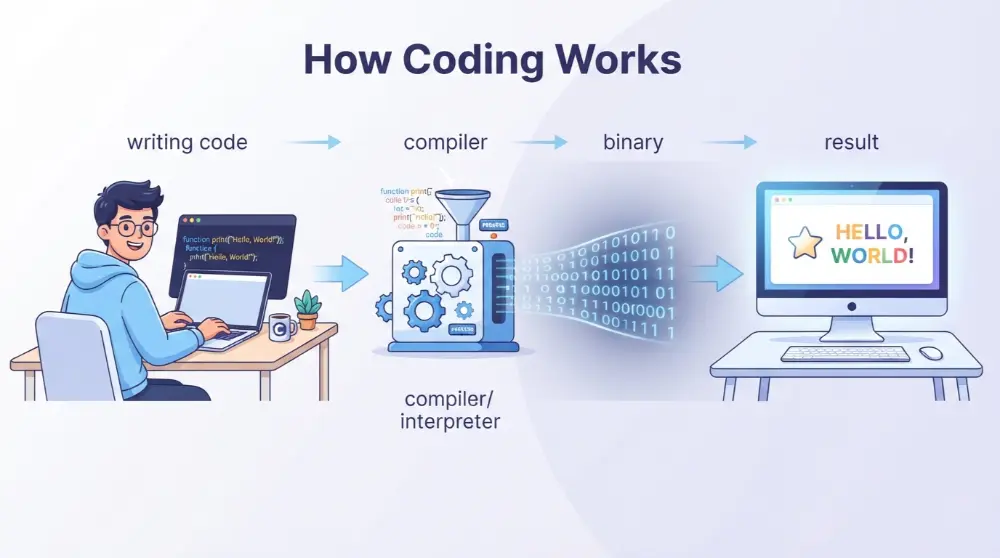
Here’s how the basic process works:
- Write code: A developer writes instructions using a programming language.
- Translate or execute: A compiler or interpreter processes the code.
- Process instructions: The computer follows the instructions it can understand.
- Get a result: The computer performs an action, such as displaying a message or opening a page.
For example, when you click a button on a website, code can tell the website what should happen next. It might open a new page, show a message, or submit a form.
This process happens very quickly, which is why websites and apps can respond to your actions almost instantly.
In short, coding connects human ideas with computer actions. It turns simple instructions into things we use every day.
What Are the Different Types of Coding Languages?
There are many coding languages, and each one has a different purpose. Some help developers build websites, while others are used to create mobile apps, computer software, and video games.
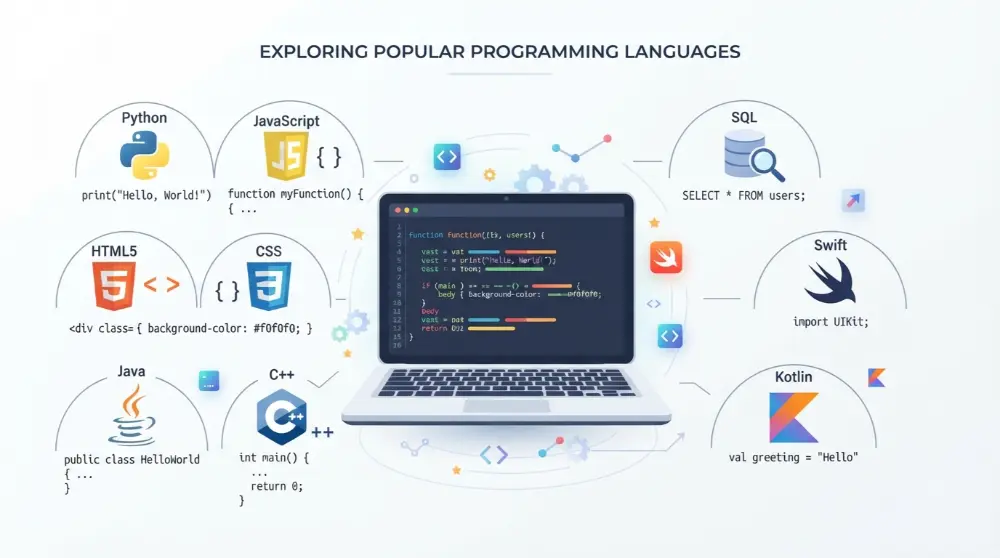
You don’t need to learn every programming language. The right choice depends on what you want to create.
Here are some popular coding languages and what they do.
1. Python
<text>Python is one of the most popular programming languages for beginners. Its code is easy to read and understand, making it a good choice for people who are learning to code for the first time.</text>
Developers use Python for:
- Building websites and web applications
- Working with data
- Creating AI and machine learning projects
- Automating everyday tasks
- Developing software
For example, you can use Python to create a simple calculator or write a program that organizes files on your computer.
2. JavaScript
JavaScript is mainly used to make websites interactive. It helps developers add features that respond when visitors click buttons, fill out forms, or move through a website.
Developers use JavaScript for:
- Making interactive websites
- Building web applications
- Creating online games
- Adding animations and special effects
- Developing server-side applications
For example, when you click a button and a message appears without reloading the whole page, JavaScript may be doing the work.
3. HTML
HTML stands for HyperText Markup Language. It’s used to create the basic structure of a webpage.
With HTML, developers can add:
- Headings and paragraphs
- Images and videos
- Links
- Tables
- Forms
For example, HTML tells a browser where to display the title, text, and images on a webpage.
4. CSS
CSS stands for Cascading Style Sheets. It controls how a website looks.
Developers use CSS to:
- Change text colors and sizes
- Add backgrounds
- Adjust page layouts
- Style buttons
- Make websites work well on mobile devices
Think of HTML as the structure of a house and CSS as its paint, design, and decoration.
5. Java
Java is a general-purpose programming language used to build different types of software. It’s commonly used in business systems, large applications, and some Android development.
Developers use Java for:
- Business software
- Web applications
- Android applications
- Banking systems
- Server-side programs
6. C and C++
C and C++ are programming languages often used when speed and control over computer resources are important.
Common uses include:
- Operating systems
- Game development
- Computer programs
- Embedded devices
- High-performance software
7. SQL
SQL stands for Structured Query Language. It’s used to work with information stored in databases.
Developers use SQL to:
- Store information
- Find specific records
- Update existing data
- Delete information
- Organize database records
For example, an online shopping website can use a database to store customer details, product information, and orders.
8. Swift and Kotlin
Swift is mainly used to create apps for Apple devices, such as iPhones and iPads.
Kotlin is widely used for Android app development.
Both languages help developers create mobile applications that people can use on their phones.
What Is the Difference Between HTML, CSS, and JavaScript?
These three technologies often work together to build websites, but they have different jobs.
| Technology | Main Purpose |
|---|---|
| HTML | Creates webpage structure |
| CSS | Controls webpage design |
| JavaScript | Adds interactive features |
For example, imagine you’re building a simple website:
- HTML adds a heading and a button.
- CSS changes the heading color and button size.
- JavaScript makes the button display a message when someone clicks it.
Together, these technologies help create websites that look good and work properly.
Why Is Coding Important?
Coding is an important part of modern life. Many things we use every day depend on computer programs. From mobile phones to websites, coding helps technology work properly.
You might not notice it, but coding is working behind many of your daily activities. When you watch a video, send a message, or order food online, computer code helps make these actions possible.
Here are some reasons why coding is important.
1. Coding Helps Build Websites
Almost every website you visit uses code. Developers use HTML, CSS, JavaScript, and other programming tools to create websites.
For example, an online shopping website needs code to display products, show prices, manage shopping carts, and process orders.
2. Coding Helps Create Mobile Apps
Mobile apps make our daily lives easier. We use them to chat with friends, order food, book rides, manage money, and learn new things.
Developers write code to build these apps and make their features work.
For example, a messaging app needs code to send messages, display notifications, and share pictures.
3. Coding Powers Video Games
Video games also depend on coding. Developers write instructions that control characters, movements, sounds, and game rules.
For example, when you press a button to make a character jump, the game follows coded instructions to perform that action.
Languages such as C++ and C# are commonly used in game development.
4. Coding Helps Automate Tasks
Some computer tasks take a lot of time when done by hand. Coding can help complete these tasks automatically.
For example, a simple program can:
- Organize files into different folders.
- Rename hundreds of files.
- Calculate numbers.
- Send automatic reports.
- Sort information in a spreadsheet.
This saves time and reduces the need to repeat the same work.
5. Coding Is Used in Artificial Intelligence
Artificial intelligence (AI) is becoming an important part of technology. It helps computers perform tasks such as understanding questions, recognizing pictures, and finding patterns in information.
Developers use programming languages such as Python to build AI tools and machine learning systems.
For example, AI chatbots use computer programs to understand questions and generate answers.
6. Coding Is Used in Cars and Smart Devices
Modern cars and smart devices use computer programs to perform different tasks.
For example:
- Smart TVs use software to run apps.
- Traffic lights follow programmed timing instructions.
- Smartwatches track activity and display information.
- Cars use computer systems to manage different functions.
These examples show that coding isn’t limited to computers and websites.
What Are the Real-World Uses of Coding?
Coding is used in many industries. Different businesses use computer programs to solve problems, manage information, and provide better services.
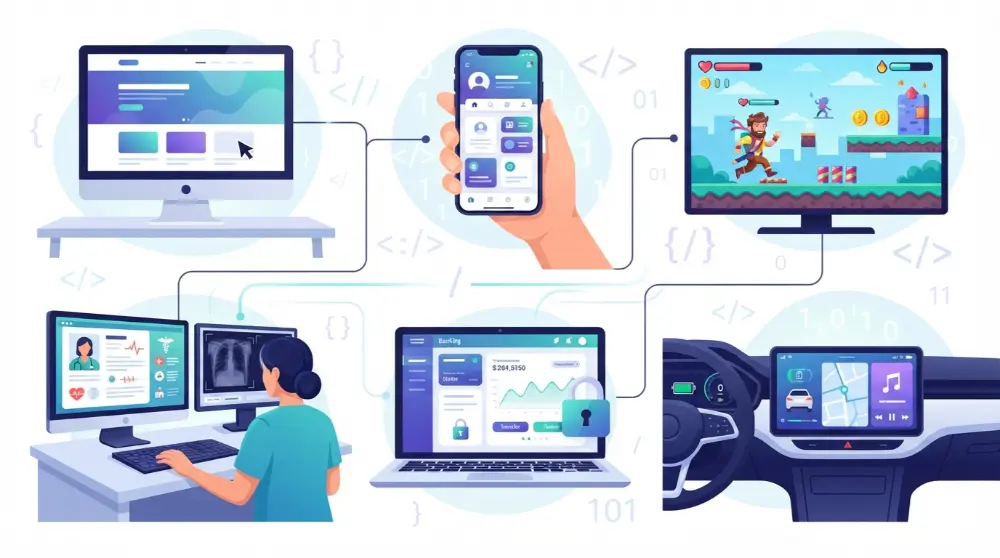
Here are some common examples.
| Industry | How Coding Is Used |
|---|---|
| Education | Online learning platforms and student management systems |
| Healthcare | Hospital software and medical record systems |
| Banking | Mobile banking apps and payment systems |
| Entertainment | Video games and streaming platforms |
| Transportation | Navigation apps and traffic systems |
| Shopping | Online stores and order management |
| Communication | Messaging apps and video calls |
For example, hospitals use software to manage appointments and patient records. Banks use computer programs to process payments and protect financial information.
Without coding, many of these services wouldn’t work the way they do today.
What Is the Difference Between Coding and Programming?
People often use the words coding and programming to mean the same thing. However, they aren’t exactly identical.
Coding is the process of writing instructions in a programming language. Programming is the larger process of creating and maintaining software.
Here’s a simple comparison:
| Coding | Programming |
|---|---|
| Focuses on writing code | Covers the complete development process |
| Turns instructions into code | Includes planning and problem-solving |
| Is one part of software development | Includes coding, testing, and debugging |
| Usually focuses on writing instructions | Also includes maintaining software |
For example, writing code for a login button is coding. Planning the complete login system, writing its code, testing it, fixing errors, and maintaining it are all parts of programming.
Both skills are important when building useful software.
How Can You Start Learning Coding?
Learning coding may seem difficult at first, especially if you’ve never written a line of code. But don’t worry. You don’t need advanced computer skills or a college degree to get started.
The best way to learn coding is to start with small steps and practice regularly.
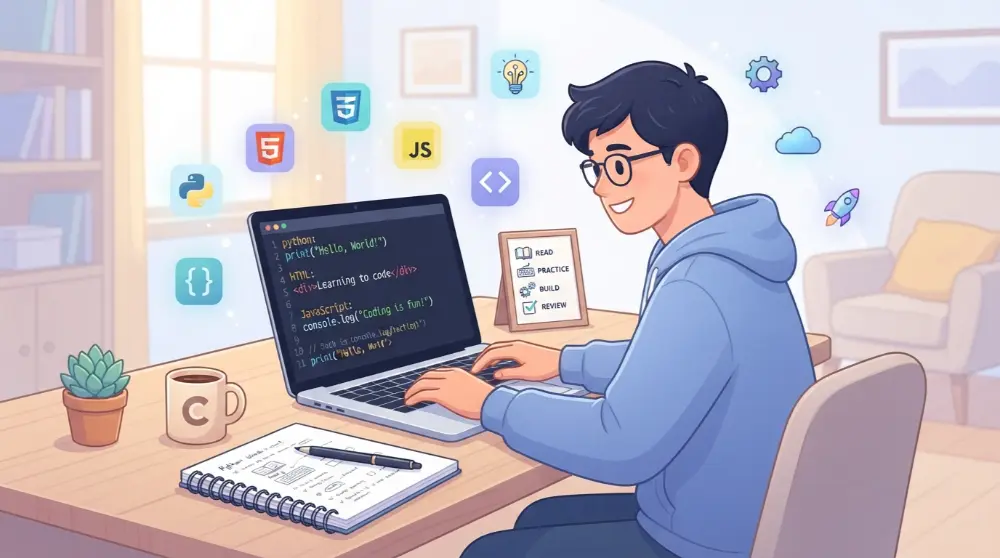
Here are some simple steps to help you begin.
1. Understand the Basic Concepts
Before choosing a programming language, learn a few basic coding concepts.
Start with these:
- Variables: These store information, such as names, numbers, and prices.
- Functions: These are reusable blocks of code that perform specific tasks.
- Loops: These repeat instructions until a condition is met.
- Conditions: These help a program make decisions.
- Algorithms: These are step-by-step instructions for solving a problem.
You don’t need to master everything on your first day. Learn one concept at a time and try simple examples.
2. Choose Your First Programming Language
Choosing your first coding language can feel confusing because there are so many options.
However, you don’t need to learn them all. Pick one based on your interests.
Here are some beginner-friendly choices:
| Your Goal | Language to Learn |
|---|---|
| Learn basic programming | Python |
| Build websites | HTML, CSS, and JavaScript |
| Create Android apps | Kotlin |
| Develop iPhone apps | Swift |
| Work with databases | SQL |
| Create video games | C# or C++ |
If you’re completely new to coding, Python is a good starting point because its basic syntax is easy to read.
3. Choose a Good Place to Learn
You can learn coding from home using free online resources. You don’t have to pay for an expensive course to understand the basics.
Here are some useful platforms for beginners:
freeCodeCamp: Offers free coding lessons and practice projects. It’s especially useful for people interested in web development.
W3Schools: Provides simple tutorials and examples for HTML, CSS, JavaScript, Python, and other technologies.
Codecademy: Offers interactive coding lessons where you can write code while learning.
Khan Academy: Provides beginner-friendly lessons on programming and computer science topics.
CS50 by Harvard: Introduces students to computer science and programming through a well-known online course.
Start with one platform instead of jumping between different courses. This will help you stay focused.
4. Practice by Writing Your Own Code
Watching coding videos can help you understand new ideas, but watching alone won’t make you a good coder.
You need to write code yourself.
Start with small projects, such as:
- A simple calculator
- A basic personal website
- A number guessing game
- A temperature converter
- A program that displays your name
These projects help you understand how coding works in real situations.
Don’t worry if your first program doesn’t work. Finding and fixing mistakes is a normal part of learning.
5. Learn How to Find and Fix Errors
When you write code, you may sometimes see errors. These errors can stop your program from working correctly.
Finding and fixing these problems is called debugging.
For example, you might forget a bracket, misspell a command, or use the wrong variable name.
When an error appears:
- Read the error message carefully.
- Check the line where the problem appears.
- Look for spelling or syntax mistakes.
- Make a small change.
- Run your code again.
With practice, you’ll become better at finding problems and solving them.
6. Practice a Little Every Day
You don’t need to spend five or six hours coding every day.
Even 20 to 30 minutes of regular practice can help you build a learning habit.
Try to follow a simple routine:
- Spend 10 minutes learning a new concept.
- Spend 10 minutes writing code.
- Spend 10 minutes testing what you’ve learned.
The most important thing is consistency. Keep practicing, try different examples, and slowly work on bigger projects.
How Long Does It Take to Learn Coding?
There isn’t one fixed answer because learning time depends on your goals, practice, and the language you choose.
Here’s a general example of what your learning journey might look like:
| Learning Stage | What You May Learn |
|---|---|
| First few weeks | Basic coding concepts and simple instructions |
| 1–3 months | Variables, functions, loops, and small programs |
| 3–6 months | Building beginner projects and solving problems |
| 6–12 months | Working on larger projects and improving your skills |
These are only rough learning stages, not guaranteed timelines. Some people learn faster, while others need more time.
Remember, learning coding isn’t about memorizing every command. It’s about understanding problems and finding ways to solve them.
What Career Opportunities Are Available in Coding?
Learning coding can open doors to different career opportunities. Many companies need people who can build websites, create software, manage databases, and develop mobile applications.
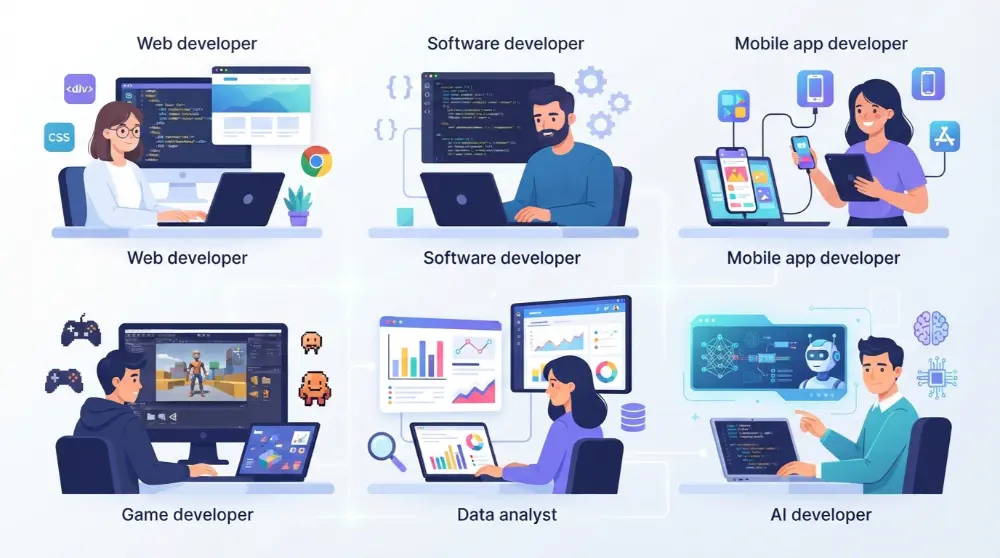
You don’t have to choose a career immediately. First, learn the basics and explore different areas of technology.
Here are some popular jobs that use coding skills.
1. Web Developer
Web developers build and maintain websites. They use languages such as HTML, CSS, and JavaScript to create websites that people can use on computers and mobile devices.
2. Software Developer
Software developers create computer programs and applications. They write code, test software, fix problems, and improve existing programs.
3. Mobile App Developer
Mobile app developers create applications for smartphones and tablets. They may use Kotlin for Android apps or Swift for iOS apps.
4. Game Developer
Game developers create video games for computers, consoles, and mobile devices. They use programming languages such as C# and C++ to control game characters, movements, and other features.
5. Data Analyst
Data analysts work with information to find useful patterns and answers. They often use Python and SQL to organize, study, and understand data.
6. AI Developer
AI developers create systems that can perform tasks such as understanding language, recognizing images, and making predictions. Python is commonly used in AI development.
Your career choice depends on your interests, skills, and the type of work you enjoy.
Frequently Asked Questions About Coding
Here are answers to some common questions beginners ask about coding.
Is Coding Hard to Learn?
Coding isn’t always easy, but beginners can learn it with regular practice. Start with simple concepts, choose one programming language, and build small projects. You don’t need to understand everything at once.
Can I Learn Coding Without a Degree?
Yes, you can learn coding without a college degree. Many online platforms offer free lessons, tutorials, and practice exercises. You can also build projects to show what you can do.
However, some employers may require a degree for certain positions.
What Is an Example of Coding?
A simple Python instruction is an example of coding:
print("Welcome to Coding!")When you run this instruction, the computer displays the message “Welcome to Coding!” on the screen.
Which Coding Language Is Best for Beginners?
Python is a popular choice for beginners because its syntax is simple and easy to read. However, if your goal is to build websites, learning HTML, CSS, and JavaScript is a better starting point.
Can Kids Learn Coding?
Yes, kids can learn coding. Beginner-friendly tools such as Scratch help children understand basic programming through colorful blocks and simple projects.
They can start by creating animations, stories, and small games.
Do I Need a Powerful Computer to Learn Coding?
No. A basic computer or laptop is enough to learn many programming languages. You can also use online coding platforms that let you write and run code in a web browser.
What Is the Difference Between Coding and Programming?
Coding means writing instructions using a programming language. Programming is a wider process that includes planning, coding, testing, debugging, and maintaining software.
Final Thoughts
Coding is simply a way to give instructions to computers. It helps people build websites, mobile apps, video games, and many other useful tools.
If you’re new to coding, don’t let the different programming languages or technical terms confuse you. Start with one language, learn the basic concepts, and practice with small projects.
You don’t have to become an expert overnight. Every skilled developer started somewhere, and your first line of code could be the beginning of something great.
Start small, keep practicing, and turn your ideas into something real.