
Have you ever wanted to build a website, create an app, or make your own software but had no idea where to start? You’re not alone. Learning coding can feel confusing at first, especially when every tutorial uses words you’ve never heard before.
The good news is that you don’t need a computer science degree or years of experience to start learning coding. You can begin with basic computer knowledge, a computer, and a little time each day.
But here’s the thing: learning to code isn’t about watching hundreds of tutorials or memorizing programming languages. It’s about learning how to solve problems, understanding simple ideas, and practicing by writing your own code.
If you’re completely new to programming, don’t worry. You don’t need to learn everything at once.
In this guide, you’ll discover how to learn coding from scratch, which programming language to choose, where to find free learning resources, and how to practice without getting stuck in endless tutorials.
We’ll also share a simple learning plan to help you take your first steps with confidence.
1. Understand What Coding Is Before You Start
Before choosing a programming language, it’s important to understand what coding actually means.
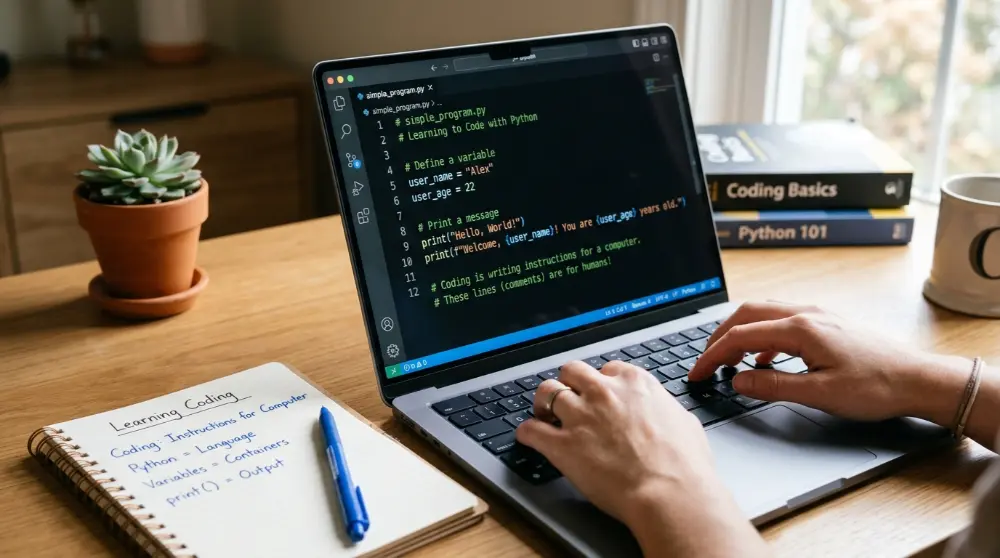
Coding is the process of writing instructions that tell a computer what to do. Computers follow these instructions to perform tasks, such as opening websites, calculating numbers, playing videos, and running mobile apps.
Think about making a cup of tea.
You follow a few simple steps:
- Take some water.
- Heat the water.
- Add tea leaves.
- Add milk and sugar.
- Pour the tea into a cup.
A computer program works in a similar way. You give the computer clear instructions, and it follows them to complete a task.
For example, you can write a small Python program that asks someone for their name and then displays a welcome message.
name = input("What is your name? ")print("Hello, " + name)When you run this code, the computer asks for your name. After you enter it, the program displays a greeting.
That’s coding!
You don’t need to understand every line right now. Just remember that programming is about giving computers instructions to solve problems.
What Can You Build With Coding?
Coding is used in many areas of technology. Once you understand programming basics, you can explore different fields based on your interests.
Here are some examples:
- Websites: Build blogs, online stores, business websites, and web applications.
- Mobile apps: Create applications for Android and iPhone.
- Video games: Develop simple games and more advanced gaming experiences.
- Artificial intelligence: Build smart tools, chatbots, and machine learning projects.
- Software: Create desktop applications and programs that solve everyday problems.
- Data science: Use programming to study information, find patterns, and understand data.
You don’t need to choose your final career today. Start by understanding the basics, then explore the area that interests you most.
2. Choose the Right Programming Language for Your Goals
One of the biggest mistakes beginners make is trying to learn several programming languages at the same time.

You might see people talking about Python, JavaScript, Java, C++, and many other languages. It can be tempting to try all of them. But doing so can make learning more confusing.
The best programming language for beginners depends on what they want to build.
You don’t need to learn every language. Pick one that matches your goal and spend enough time understanding its basics.
Which Programming Language Should You Learn First?
Here are some popular choices for beginners:
Python: Best for Learning Programming Basics
Python is one of the most beginner-friendly programming languages. Its code is easy to read, and you don’t need to write as much code to perform simple tasks.
For example:
print("Hello, World!")That’s all you need to display a simple message.
You can use Python for:
- Artificial intelligence and machine learning
- Data science and data analysis
- Automation
- Web development
- Small software projects
Who should learn Python?
Choose Python if you’re completely new to programming and want to understand basic coding concepts before moving into a specific field.
JavaScript: Best for Website Development
JavaScript is one of the main programming languages used to make websites interactive.
For example, when you click a button, open a menu, or see new content without refreshing a page, JavaScript may be working behind the scenes.
You can use JavaScript for:
- Interactive websites
- Web applications
- Front-end development
- Back-end development with Node.js
- Some mobile and desktop applications
Who should learn JavaScript?
If your main goal is to build websites or become a web developer, JavaScript is an excellent starting choice. You’ll also need to learn HTML and CSS.
HTML and CSS: Best for Building Your First Website
HTML and CSS aren’t programming languages in the same way JavaScript and Python are, but they’re important web development skills.
Here’s what they do:
- HTML: Creates the structure of a webpage, such as headings, paragraphs, images, and buttons.
- CSS: Controls how the webpage looks, including colors, fonts, spacing, and layouts.
For example, HTML creates a heading, while CSS makes that heading blue or changes its size.
Who should learn HTML and CSS?
If you want to create websites, start with HTML and CSS before moving into JavaScript.
Other Programming Languages Worth Knowing
You may also come across these languages as you explore different areas of development.
| Language | Common use |
|---|---|
| Java | Android development and enterprise software |
| C# | Game development and business applications |
| C++ | Game engines and high-performance software |
| Swift | iPhone and iPad applications |
| Kotlin | Android applications |
| SQL | Working with databases |
Don’t worry about learning these languages right now. You can explore them when you have a clearer idea of what you want to build.
Quick Guide: Which Language Should You Choose?
Here’s a simple way to make your decision:
| Your goal | Recommended starting point |
|---|---|
| Learn coding from scratch | Python |
| Build websites | HTML, CSS, JavaScript |
| Create Android apps | Kotlin |
| Create iPhone apps | Swift |
| Develop video games | C# or C++ |
| Learn AI and data science | Python |
My recommendation: If you’re unsure about your future direction, start with Python. Learn variables, data types, conditions, loops, and functions. These basic ideas will help you understand programming in other languages, too.
Remember, your first language doesn’t have to be your last one. Once you understand how programming works, learning another language becomes much easier.
3. Learn the Basic Coding Concepts First
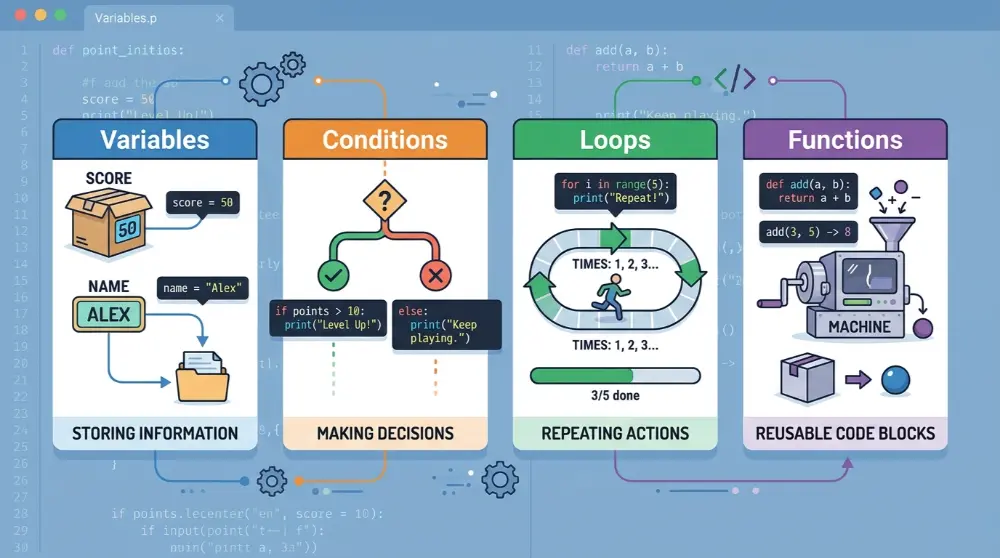
Before building websites, mobile apps, or complex software, you need to understand a few basic programming concepts.
Think of these concepts as the building blocks of coding. Almost every programming language uses similar ideas, even though the way you write them may be different.
Don’t rush through this part. Spend enough time practicing each concept until you understand what it does.
1. Variables and Data Types
A variable is a place where a program stores information.
For example, imagine you’re creating a program that remembers someone’s name and age.
In Python, you can write:
name = "Sameer"age = 25Here:
namestores text.agestores a number.
These are examples of variables.
You’ll also need to understand common data types:
- String: Text, such as “Hello”.
- Integer: Whole numbers, such as 10 or 25.
- Float: Numbers with decimal points, such as 10.5.
- Boolean: A value that is either True or False.
You don’t need to memorize everything immediately. Practice using these data types in small programs.
2. Conditions (If and Else)
Conditions help a computer make decisions.
For example, imagine you’re creating a program that checks whether someone is old enough to drive.
age = 20if age >= 18: print("You can apply for a driving license.")else: print("You are too young.")The program checks the person’s age.
If the age is 18 or higher, it displays the first message. Otherwise, it displays the second one.
You’ll use conditions in many real-world applications.
3. Loops
A loop tells a computer to repeat an action.
Imagine you want to display numbers from 1 to 5. Instead of writing five separate print statements, you can use a loop.
for number in range(1, 6): print(number)The computer repeats the instruction and displays numbers from 1 to 5.
Loops are useful when you need to repeat tasks, process lists, or work with large amounts of information.
4. Functions
A function is a reusable block of code that performs a particular task.
For example:
def say_hello(): print("Hello! Welcome to coding.")say_hello()When you call say_hello(), the program runs the instructions inside that function.
Functions help keep your code organized and make it easier to reuse instructions.
5. Debugging
Don’t worry if your code doesn’t work the first time. Making mistakes is a normal part of learning programming.
Debugging means finding and fixing problems in your code.
For example, if you miss a quotation mark or type a command incorrectly, Python may show an error.
Instead of giving up, read the error message, check the relevant line, and try to understand what went wrong.
A useful tip: Don’t just copy code from tutorials. Change the values, remove a line, or try a different instruction. This is how you learn what your code actually does.
4. Set Up Your Computer and Start Writing Your First Code
Once you understand the basic coding concepts, it’s time to do something practical.
You don’t need an expensive computer or special equipment to start learning programming. A normal laptop or desktop computer is enough for most beginner coding exercises.
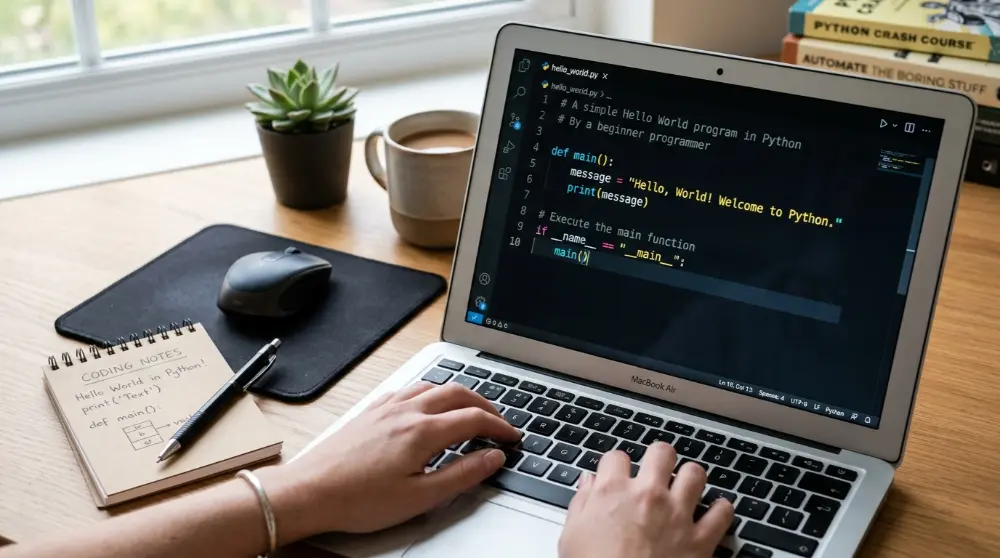
However, you’ll need a place to write and run your code.
This is where a code editor comes in.
Which Software Do Beginners Need to Write Code?
Here are two useful tools to get started.
1. Visual Studio Code (VS Code)
Visual Studio Code is a free code editor developed by Microsoft.
It’s popular among developers because it supports many programming languages and has useful features that make writing code easier.
Some helpful features include:
- Code suggestions while typing.
- Highlighting different parts of your code.
- Extensions for different programming languages.
- Tools that help you find mistakes.
- Support for Python, JavaScript, HTML, CSS, and more.
You can download it from the official website: Visual Studio Code.
2. Python
If you’ve decided to start with Python, you’ll also need the Python interpreter to run your programs on your computer.
Download it from the official website: Python.org.
After installing Python and VS Code, you can create a new file with a .py extension.
For example, name your first file:
hello.py
Now write this code:
print("Hello, World!")print("I am learning coding.")print("This is my first program.")Run the program, and you’ll see three messages appear.
Congratulations! You’ve written and run your first Python program.
Can You Learn Coding Without Installing Software?
Yes! Some online coding platforms let you write and run code directly in your browser.
This is helpful if you’re not ready to install anything yet.
You can explore:
- Programiz for running simple Python programs.
- Replit for writing and testing code online.
- Google Colab for working with Python in notebooks.
Start with whichever option feels easiest. You can set up a local coding environment later.
5. Follow a Structured Learning Path Instead of Random Tutorials
Here’s a common problem among new learners: they watch one coding video, open another tutorial, and then jump to a completely different course.
After a few days, they know many programming terms but can’t write a simple program on their own.
This is often called tutorial hell.
Tutorial hell happens when you spend too much time watching other people write code without practicing enough yourself.
The solution is simple: follow one structured course and move through it step by step.
Best Free Websites to Learn Coding for Beginners
These platforms offer useful learning materials for people starting from scratch.
1. freeCodeCamp
freeCodeCamp offers free coding lessons and hands-on exercises. You can learn web development, Python, JavaScript, and other technical skills.
Website: freeCodeCamp.org
2. Harvard CS50
CS50 introduces computer science and programming through lessons and practical problem-solving exercises. It’s a useful option if you want to understand how computers and programs work.
Website: CS50
3. The Odin Project
This platform focuses on web development. It teaches HTML, CSS, JavaScript, and other tools through a structured curriculum and practical projects.
Website: The Odin Project
4. Codecademy
Codecademy provides interactive coding lessons. Beginners can practice writing code while learning programming concepts.
Website: Codecademy
5. Coursera
Coursera offers programming courses from universities and other educational organizations. Some courses provide free learning access, while certificates and other options may require payment.
Website: Coursera
Which one should you choose?
If you’re a complete beginner, start with one course that matches your chosen language. Don’t sign up for five different courses at once.
For Python, you can explore Harvard’s CS50P. For web development, freeCodeCamp and The Odin Project are good starting points.
6. Practice Coding by Building Small Projects
Reading lessons and watching tutorials can help you understand programming, but they won’t make you a good programmer on their own.
You need to write code yourself.
Think about learning to ride a bicycle. You can watch someone riding for hours, but you’ll never learn properly until you get on the bicycle and try it.
Coding works the same way.
The best way to improve your coding skills is to practice by building small projects.
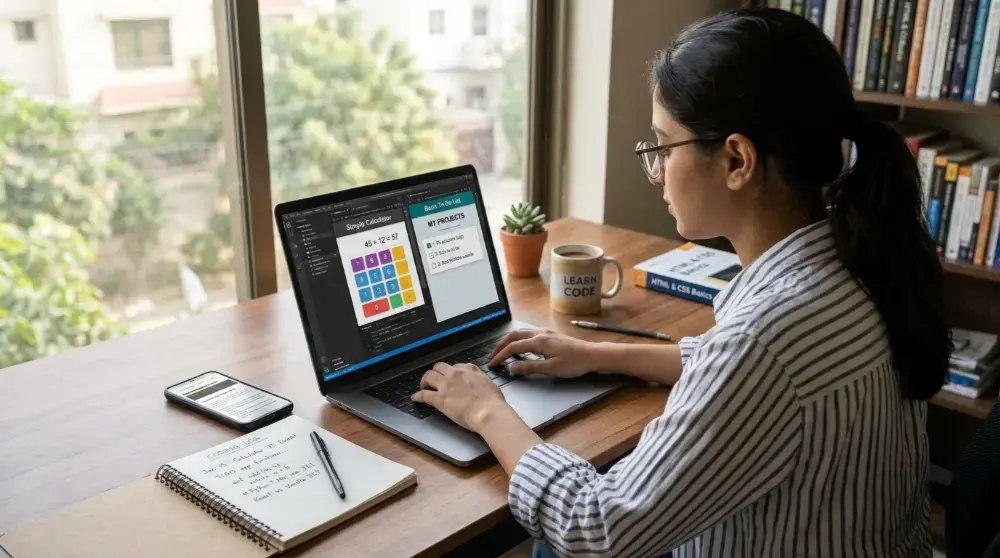
5 Easy Coding Projects for Beginners
You don’t need to create a large application as your first project. Start with something simple and slowly increase the difficulty.
Here are five beginner-friendly ideas.
1. Simple Calculator
Create a calculator that can perform basic mathematical operations.
Your calculator should allow users to:
- Add two numbers.
- Subtract numbers.
- Multiply numbers.
- Divide numbers.
This project helps you practice variables, functions, user input, and conditions.
2. Number Guessing Game
Create a small game where the computer selects a random number, and the player tries to guess it.
You can display messages such as:
- Your guess is too high.
- Your guess is too low.
- Congratulations! You guessed correctly.
This project helps you understand loops, conditions, and random numbers.
3. To-Do List Application
Build a simple application where users can add tasks, view their tasks, and mark completed tasks.
You’ll practice working with lists, functions, and basic data storage.
4. Personal Portfolio Website
Create a simple website that introduces you and displays your skills and projects.
You can use HTML, CSS, and JavaScript to build it.
5. Simple Weather Application
Build a basic weather application that displays weather information for a selected city.
Later, you can connect it to a weather API to get real weather information.
This project will help you understand how applications communicate with external services.
Follow the 70/30 Learning Rule
Here’s a practical way to manage your learning time:
- 70% of your time: Writing code, solving problems, and building projects.
- 30% of your time: Watching tutorials, reading lessons, and learning new concepts.
For example, if you study for two hours:
- Spend 36 minutes watching lessons or reading.
- Spend 84 minutes writing and testing code.
You don’t have to follow these numbers perfectly. The main idea is to spend more time practicing than consuming lessons.
What Should You Do When Your Code Doesn’t Work?
Don’t panic when you see an error message.
Try these steps:
- Read the error message carefully.
- Check which line caused the problem.
- Search for the error if you don’t understand it.
- Make one change at a time.
- Run your code again.
You can also ask AI tools to explain an error in simple English. However, try to understand and fix the problem yourself instead of asking AI to write your entire program.
That’s how you develop real problem-solving skills.
7. Avoid Tutorial Hell and Learn Coding the Right Way
One of the biggest challenges beginners face isn’t choosing a programming language. It’s staying focused and making progress without getting stuck.
You might start a Python course, watch 20 videos, and feel like you’re learning a lot. But when you open a blank coding editor and try to write something yourself, you don’t know where to begin.
Sound familiar?
This is called tutorial hell.
It happens when you keep watching lessons and following examples without learning how to solve problems independently.
The good news is that you can avoid it with a few simple habits.
Stop Watching Endless Tutorials
Watching tutorials isn’t bad. In fact, they’re useful when you’re learning something new.
The problem starts when you depend on them for every small task.
Try this approach:
- Watch one lesson about a specific topic.
- Write the same code in your editor.
- Close the tutorial and try writing it again.
- Change some values and test different results.
- Build a small project using what you’ve learned.
For example, after learning about Python variables, create a program that asks for someone’s name, age, and favorite color.
This simple exercise helps you use what you’ve learned without copying someone else’s work.
Learn to Search for Answers
You don’t need to know everything from memory to become a programmer.
Even experienced developers search online when they face problems or need to understand something new.
Learn how to search for clear answers.
For example, instead of searching for something broad like “Python coding help,” try searching:
- How do Python variables work?
- How to fix a Python syntax error?
- How does a for loop work in Python?
- How to create a function in Python?
You can also use official documentation when you need accurate information.
For Python, the official documentation is available at docs.python.org.
Don’t Move to Advanced Topics Too Quickly
It’s tempting to learn advanced topics because they sound exciting.
You might hear about artificial intelligence, machine learning, cloud computing, or software architecture.
But jumping into these topics without understanding the basics can make learning much harder.
First, become comfortable with:
- Variables and data types
- Conditions and loops
- Functions
- Lists and dictionaries
- Basic problem-solving
- Debugging
Once you understand these ideas, you can gradually explore more advanced concepts.
Learn From Your Mistakes
Every programming error gives you a chance to understand something better.
Instead of feeling frustrated when your code doesn’t work, ask yourself:
- What was I trying to do?
- What did I expect to happen?
- What actually happened?
- Which part of my code caused the problem?
Write down useful mistakes and their solutions in a notebook or digital document.
Over time, you’ll build your own collection of coding notes that you can use whenever you get stuck.
8. Create a Daily Coding Routine and Stay Consistent
Learning coding takes time, so don’t expect to understand everything in a few days.
Some concepts will feel easy, while others may take several attempts to understand.
That’s completely normal.
The important thing is to create a learning routine that fits your daily life.
You don’t need to study for five or six hours every day. Even a short, focused practice session can help you build a learning habit.
How Much Time Should You Spend Learning Coding?
Your study time depends on your schedule, energy, and learning goals.
Here’s a simple example:
| Daily study time | Suggested activity |
|---|---|
| 15 minutes | Review previous lessons |
| 20 minutes | Learn one new concept |
| 30 minutes | Write and test code |
| 15 minutes | Solve a small coding problem |
You can adjust this routine based on how much free time you have.
If you have only 30 minutes, that’s fine. Focus on one small task instead of trying to cover everything.
Consistency matters more than occasional long study sessions.
Set Small Weekly Goals
Instead of setting a big goal like “I want to become a programmer in three months,” break your learning into smaller tasks.
For example:
- Week 1: Understand variables, data types, and basic commands.
- Week 2: Practice conditions and loops.
- Week 3: Learn functions and lists.
- Week 4: Build your first small Python project.
Small goals make it easier to see your progress and stay motivated.
Take Breaks When You Feel Stuck
Sometimes, you’ll spend an hour trying to understand one problem without making progress.
Don’t force yourself to continue when your brain feels tired.
Take a short break, go for a walk, or return to the problem later. A fresh mind can make a difficult concept easier to understand.
Remember, learning coding is a long-term process. You don’t have to understand everything today.
9. Learn Git and GitHub as You Improve
Once you start writing code and building projects, you’ll need a way to save your work and track changes.

This is where Git and GitHub become useful.
You don’t need to master them on your first day, but learning their basics early will help you as your projects become bigger.
What Is Git?
Git is a tool that tracks changes in your code.
Imagine you’re building a website. You make some changes, but suddenly the website stops working.
Without a saved version, you might struggle to bring back the code that worked before.
Git helps you save different versions of your project so you can review changes and return to earlier versions when needed.
Some basic Git commands include:
git init
git add .
git commit -m "First project"
You don’t need to memorize these commands right away. Just understand what Git does and practice using it with a small project.
What Is GitHub?
note.com
GitHub is an online platform where developers store and share their code.
It works with Git and makes it easier to manage projects from one place.
You can use GitHub to:
- Store your coding projects online.
- Keep track of code changes.
- Share your work with other developers.
- Work with people on the same project.
- Build a portfolio of your programming skills.
For beginners, GitHub is also a useful place to show projects when applying for programming jobs.
How Should Beginners Start Using GitHub?
Follow these simple steps:
- Create a free GitHub account.
- Learn what a repository is.
- Upload one small coding project.
- Write a short description of what your project does.
- Update your project as you learn new skills.
Don’t worry about advanced Git commands or team workflows yet. Learn the basics first.
You can visit GitHub.com to create your account and explore other people’s projects.
10. Use AI Tools to Make Learning Coding Easier

Learning programming has changed a lot with the growth of AI tools.
Today, beginners can use AI assistants to understand difficult concepts, explain error messages, and get help when they’re stuck.
However, there’s one important thing to remember: AI should help you learn coding, not do all your coding for you.
If you ask AI to create every project and simply copy its answers, you may finish projects without understanding how they work.
Use these tools as learning assistants instead.
Useful AI Tools for Beginner Programmers
1. ChatGPT
Ask ChatGPT to explain programming concepts in simple English, review your code, or help you understand errors.
Website: ChatGPT
2. GitHub Copilot
Copilot can suggest code while you work in supported code editors. It can also help explain and improve code.
Website: GitHub Copilot
3. Google Gemini
Gemini can help explain programming ideas, generate examples, and answer questions about code.
Website: Google Gemini
5 Useful Prompts to Learn Coding With AI
You can use these prompts when practicing:
Prompt 1: Explain a concept
“Explain Python variables in very simple English. Give me three easy examples.”
Prompt 2: Understand an error
“I’m learning Python. Please explain this error in simple words and show me how to fix it without rewriting my entire program.”
Prompt 3: Practice coding
“Give me five beginner Python exercises about if and else statements. Don’t show me the answers until I try.”
Prompt 4: Review your code
“Review my Python code and tell me what I can improve. Explain each mistake so I can learn from it.”
Prompt 5: Learn through projects
“Give me a small Python project for beginners. Break it into simple steps and let me write the code myself.”
AI tools can save time, but always test their suggestions. They can make mistakes or provide code that doesn’t work as expected.
11. How Long Does It Take to Learn Coding?
One of the first questions beginners ask is, “How long will it take me to learn coding?”
Well, there’s no single answer. It depends on what you want to build, how much time you can give each day, and how often you practice.
You don’t need to learn everything at once. Start with basic concepts and improve step by step.
Here’s a rough learning timeline for someone who studies and practices regularly:
| Learning stage | What you may learn |
|---|---|
| First 2–4 weeks | Basic syntax, variables, conditions, and loops |
| 1–3 months | Functions, problem-solving, and small projects |
| 3–6 months | Building more useful projects and understanding common tools |
| 6–12 months or more | Developing a stronger portfolio and preparing for advanced work |
These are only estimates, not promises. Some people learn faster, while others need more time. That’s completely normal.
How much time should you practice each day?
If you’re a beginner, try to spend 30 to 60 minutes coding every day. If you have more free time, you can practice longer, but don’t push yourself until you feel tired.
Remember, learning coding isn’t a race. Understanding one concept properly is better than rushing through ten lessons without understanding them.
12. Can You Learn Coding Without a Degree?
Yes! You can learn coding without having a computer science degree.
Many people start with free online courses, books, videos, and personal projects. You don’t need to join a university before writing your first program.
However, learning without a degree doesn’t mean you can skip the hard work. You still need to understand programming concepts and show what you can build.
Here are a few things that can help you prove your skills:
- Build real projects: Create websites, small apps, games, or useful tools.
- Create a GitHub profile: Upload your projects so others can see your work.
- Make a portfolio: Show your best projects, explain what they do, and mention the tools you used.
- Practice problem-solving: Learn how to break a large problem into smaller steps.
- Keep learning: Technology changes, so developers need to improve their skills over time.
Keep in mind that some employers require a degree, while others focus more on practical skills and experience. Requirements depend on the company and the role.
Is it too late to learn coding?
Not at all. You can start learning coding at almost any age. You don’t have to be a teenager or a university student.
If you’re working full-time, start with 30 minutes a day. If you’re a student, use your free time to practice. Even if you’re changing careers, you can begin with simple projects and build your skills gradually.
The best time to start is when you’re ready to take the first step.
13. Choose a Coding Career Path That Matches Your Goals
Once you understand the basics of coding, it’s time to think about what you want to do with your skills.
You don’t have to choose a career right away. Try different types of projects first. This will help you discover what you enjoy.
Here are some popular coding career paths for beginners.
1. Web Development
Web developers build websites and web applications. They work on everything from simple business websites to large online stores.
If you want to become a web developer, start with:
- HTML to create website structure.
- CSS to style web pages.
- JavaScript to add interactive features.
- React or another framework after learning JavaScript basics.
A good first project is a personal portfolio website.
2. Mobile App Development
Mobile app developers create applications for smartphones and tablets.
For this path, you can learn:
- Kotlin for Android development.
- Swift for iOS development.
- Flutter for building apps for multiple platforms.
Start by creating a simple calculator or notes app.
3. Software Development
Software developers create programs that help people complete different tasks. These can include desktop applications, business tools, and other software products.
You can begin with Python, Java, or C#. Learn programming fundamentals before moving to larger applications.
4. AI and Data Science
AI and data science are popular technology fields. They involve working with data, finding patterns, and building systems that can perform useful tasks.
Python is a good starting point for this path. Once you understand Python, you can explore:
- Data analysis.
- Statistics.
- Machine learning.
- Data visualization.
- AI tools and applications.
Don’t rush into advanced AI topics. First, become comfortable with basic programming and problem-solving.
5. Game Development
If you enjoy video games, game development might be a good choice.
You can explore:
- C# with Unity.
- C++ with Unreal Engine.
- Game design and basic physics.
- Animation and game mechanics.
Start with a small 2D game instead of trying to build a large 3D game.
My advice: Don’t choose a career just because it’s popular. Choose a path that matches your interests. You’ll find it easier to stay motivated when you’re building something you actually enjoy.
14. Common Mistakes Beginners Should Avoid
Learning coding becomes easier when you know what mistakes to avoid. Many beginners waste time because they try to learn too much at once.
Here are some common mistakes and how to handle them.
Mistake 1: Learning Too Many Programming Languages
Some beginners try Python, JavaScript, Java, and C++ at the same time.
This can become confusing.
What to do instead: Choose one language based on your goal. Learn its basics and build a few projects before moving to another language.
Mistake 2: Watching Tutorials Without Practicing
Watching someone write code doesn’t mean you can write it yourself.
You might understand everything in a video but struggle when you open your own code editor.
What to do instead: After each lesson, close the tutorial and try to write the same code yourself. Then change something and see what happens.
Mistake 3: Giving Up When You See Errors
Errors are part of programming. Even experienced developers make mistakes.
What to do instead: Read the error message carefully. Check your code, search for the problem, and test possible solutions.
Mistake 4: Starting With Difficult Projects
Trying to build a complete social media platform or advanced mobile app as your first project can feel overwhelming.
What to do instead: Start with small projects. Build a calculator, a simple website, or a number guessing game. Add more features as your skills improve.
Mistake 5: Copying Code Without Understanding It
Copying code from websites or AI tools might help you finish a project quickly, but it won’t teach you much if you don’t understand what the code does.
What to do instead: Read each line, understand its purpose, and try writing it again without looking.
Mistake 6: Comparing Your Progress With Other Developers
You might see someone building advanced applications after a few months and feel that you’re falling behind.
But everyone starts with different skills, experience, and learning speed.
What to do instead: Compare your current skills with what you could do last month. Focus on steady improvement.
15. Final Tips to Become Better at Coding
Learning coding takes time, but you don’t need a perfect plan to get started. A few simple habits can make a big difference.
Keep these tips in mind:
- Start small: Learn basic concepts before moving to advanced topics.
- Practice regularly: Even 30 minutes of coding each day can help you improve.
- Build projects: Use what you learn to create something useful.
- Learn debugging: Don’t panic when your code doesn’t work.
- Ask questions: Use documentation, developer communities, and AI tools to understand difficult topics.
- Keep your code organized: Use clear names and simple project structures.
- Review old projects: Return to your previous code and improve it as your skills grow.
- Stay patient: You won’t understand everything on the first try, and that’s okay.
Most importantly, don’t wait until you feel completely ready. Start writing code, make mistakes, and learn from them.
Frequently Asked Questions About Learning Coding
1. How can I learn coding from scratch?
Start by choosing one programming language based on your goal. Learn basic concepts such as variables, conditions, loops, and functions. Then practice by building small projects and gradually move to more difficult tasks.
2. Can I learn coding for free?
Yes. You can learn coding for free through websites such as freeCodeCamp, Harvard CS50, The Odin Project, and official programming documentation. Many platforms also provide free beginner lessons and exercises.
3. Which programming language is easiest for beginners?
Python is often a good first choice because its syntax is simple and easy to read. However, if your main goal is to build websites, starting with HTML, CSS, and JavaScript makes more sense.
4. Can I learn coding without a computer science degree?
Yes. You can learn programming through online courses, practice, and personal projects. A degree may be required for some jobs, but other employers also consider practical skills, experience, and a strong portfolio.
5. How many hours should I practice coding daily?
Start with 30 to 60 minutes each day. Focus on understanding concepts and writing code rather than spending all your time watching tutorials. Regular practice is more useful than occasional long study sessions.
6. Is coding difficult for beginners?
Coding can feel difficult at first because you’re learning a new way to solve problems. However, it becomes easier when you break large problems into smaller steps and practice regularly.
7. Can I learn coding on my own?
Yes. Many people learn programming through self-study. Use structured courses, official documentation, coding exercises, and small projects to guide your learning.
8. What should I learn first: Python or JavaScript?
Choose Python if you’re interested in automation, AI, or data science. Choose JavaScript if you want to build interactive websites and web applications. Both are useful languages for beginners.
9. Can I learn coding on my phone?
Yes, you can use mobile apps and online coding platforms to practice basic programming. However, a computer is more comfortable for larger projects because you can use a code editor, terminal, and development tools.
10. What is the best website to learn coding?
There isn’t one best website for everyone. freeCodeCamp is useful for hands-on learning, Harvard CS50 offers structured computer science courses, and The Odin Project provides a guided path for web development.
Conclusion: Start Learning Coding One Step at a Time
Learning coding from scratch might seem difficult, but it doesn’t have to be complicated. Choose one programming language, understand the basic concepts, and practice by building small projects.
You don’t need an expensive course or a computer science degree to begin. Free learning resources, regular practice, and patience can take you a long way.
Remember, your first program doesn’t need to be perfect. It just needs to work, and it gives you a starting point for the next one.
So, open a code editor, write your first few lines, and keep going. The more you practice, the more confident you’ll become.